iA Presenter
Turn Text Into Slides
Style Check for Mac is like having a personal editor-in-chief on your device, carefully reviewing your text for redundancies, clichés, and filler words as you type.
Important points about this feature:
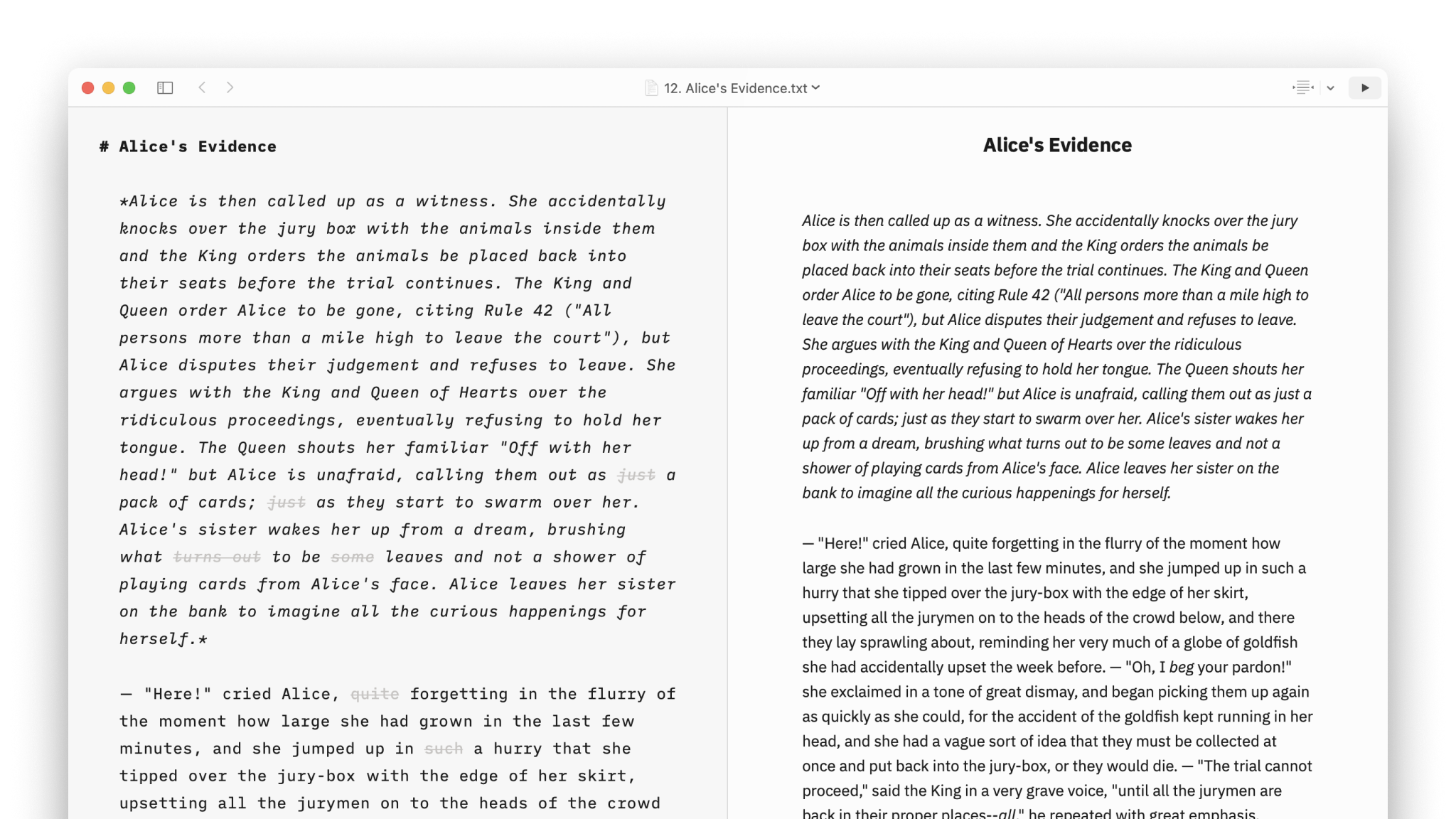
Style Check is currently available for English, French, Spanish and German. It will cross out:
For more details about Style Check, you can read our introduction blog post The Power of Style Check or check our quick tour on YouTube:
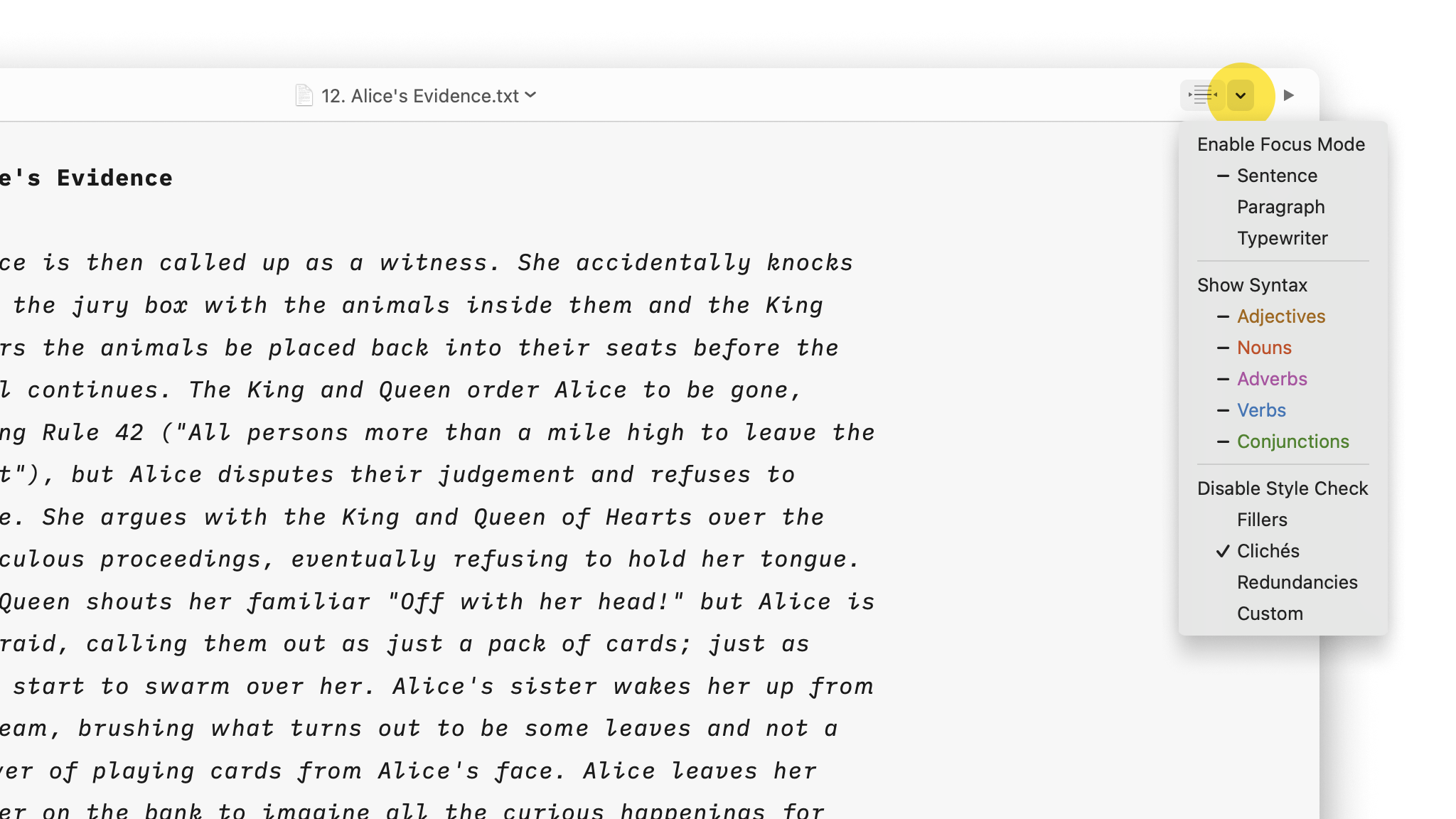
You can enable/ disable Style Check from:
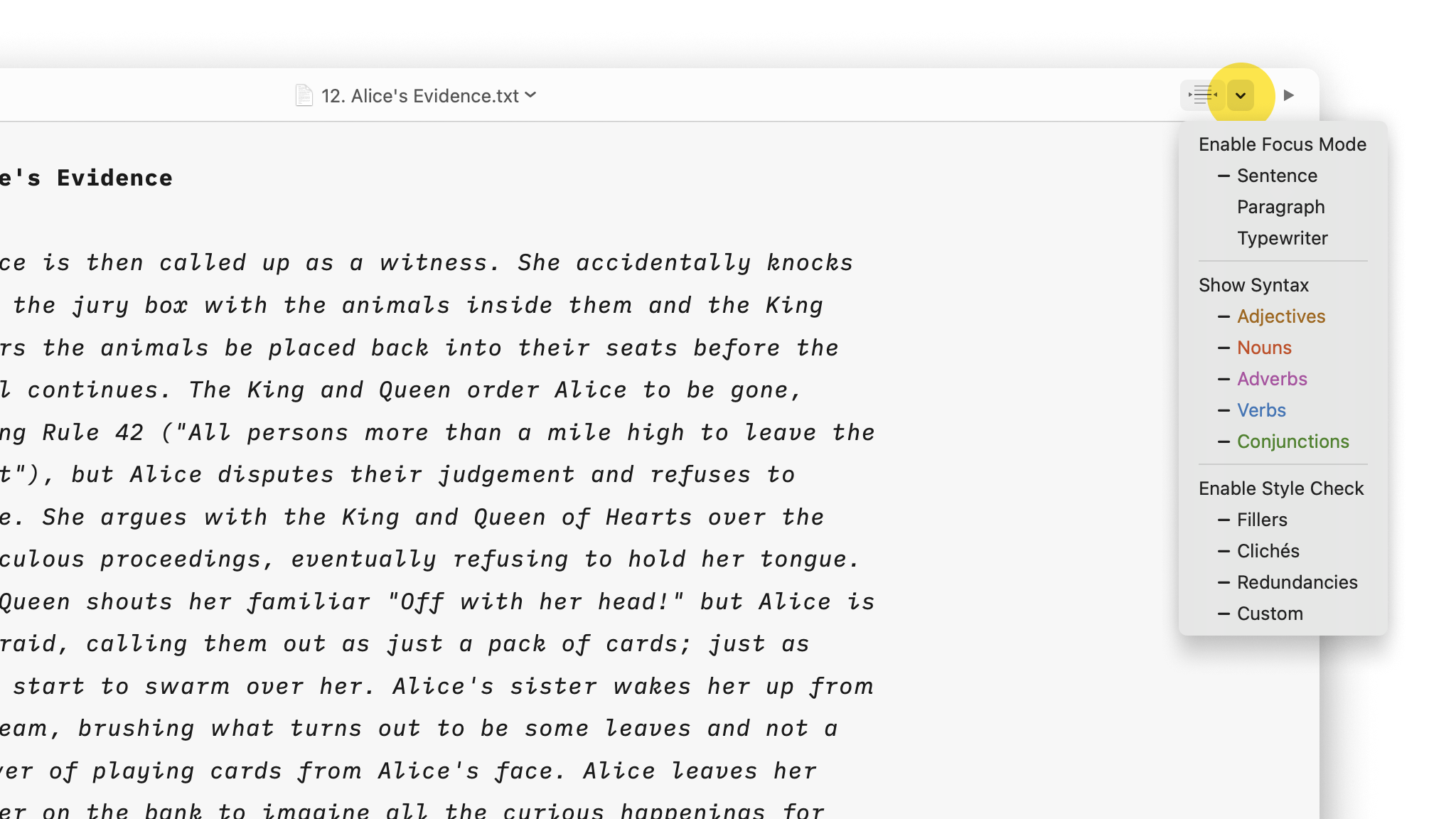
You can fully enable Style Check (including fillers, redundancies, clichés, and custom patterns) or just some of them:
We spent a lot of time developing this feature and we are still improving it regularly.
However, our users might feel the need to customize Style Check regarding their writing style. This is where Custom Patterns shines.
Custom patterns allow you to create exceptions or new rules to Style Check, to better fit your style.
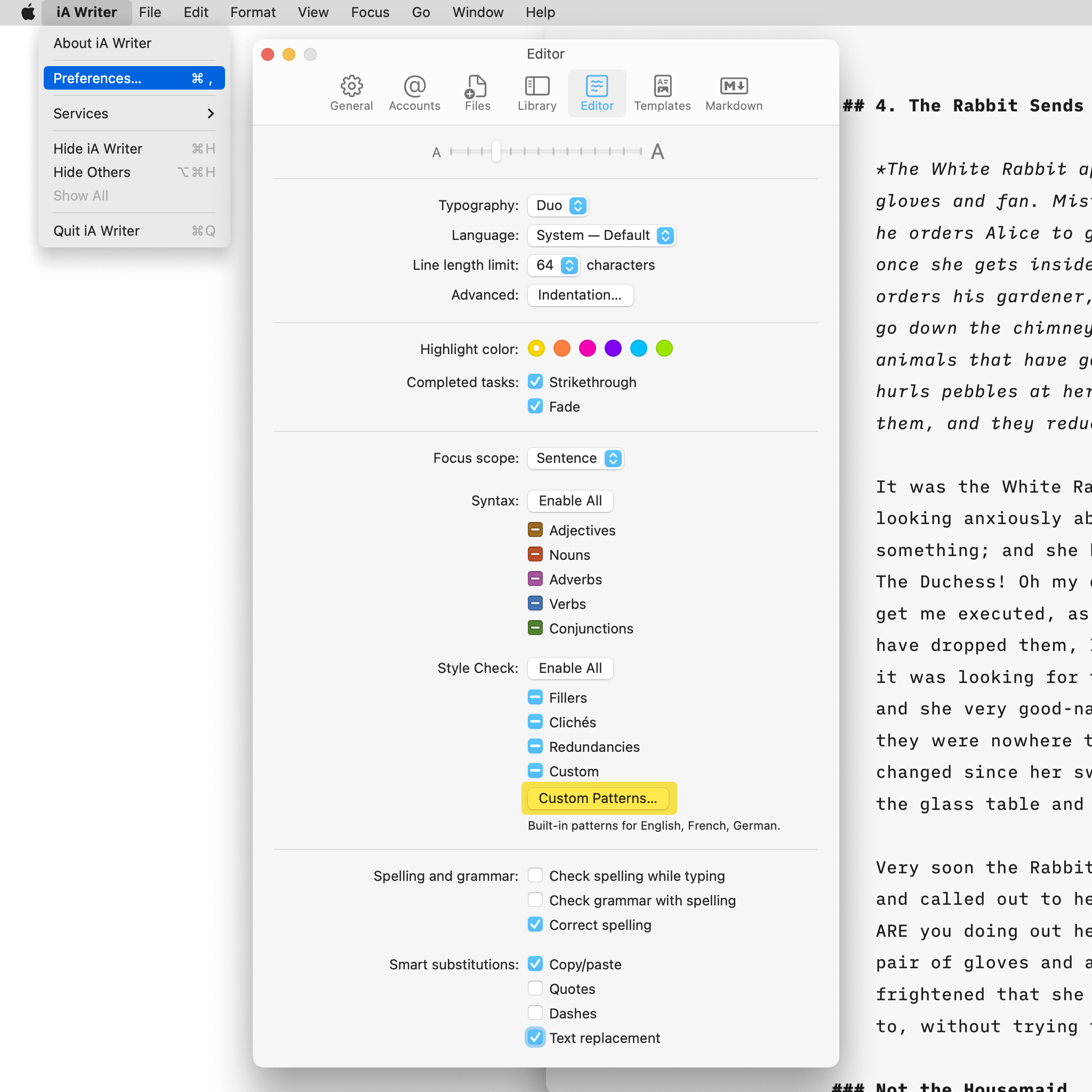
To create a custom pattern, go to Settings → Editor and click Custom Patterns… in the Style check row.
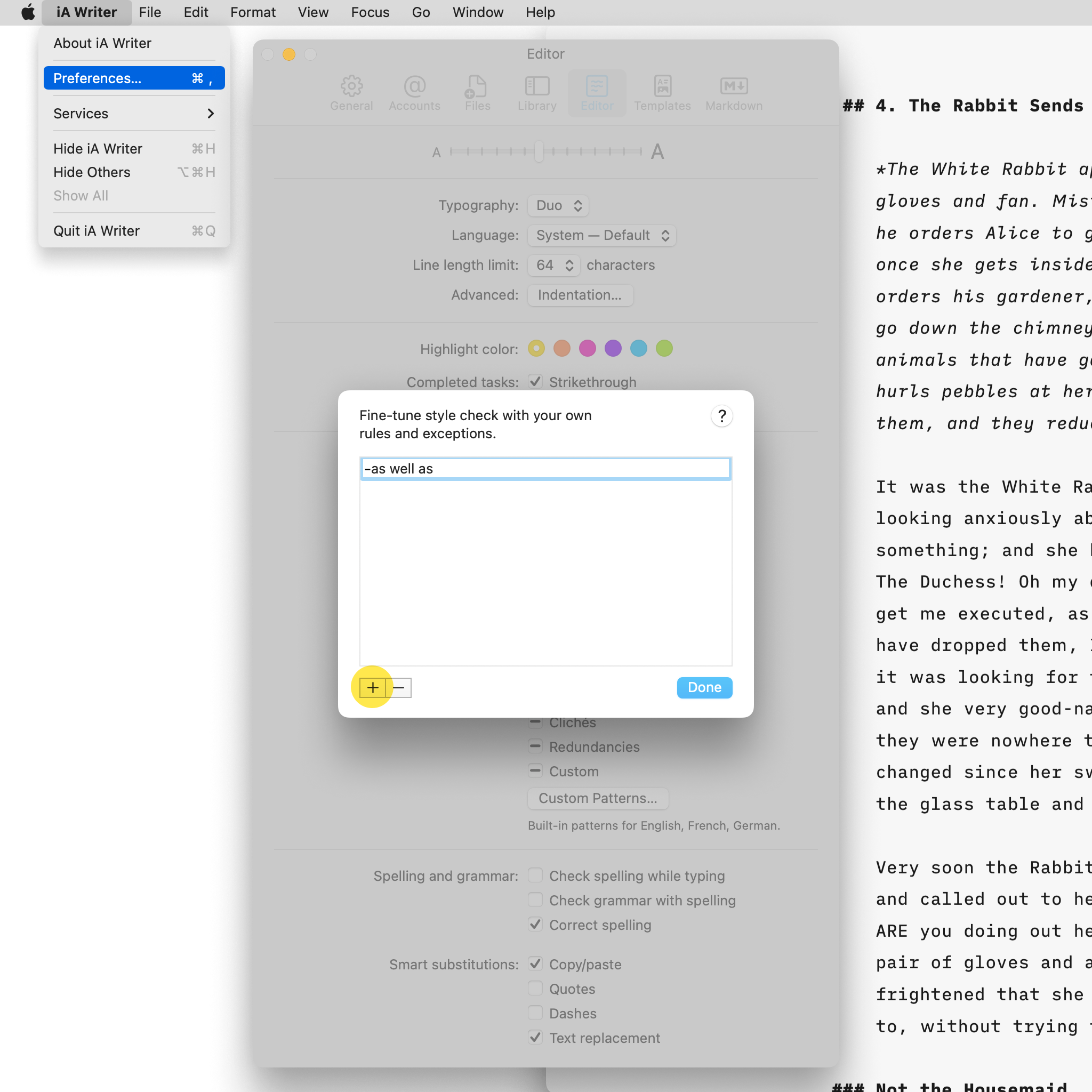
Below is an example of adding an exception that allows the filler “as well as”:
For your information, here is the syntax for customizing Style Check with Custom Patterns. You won’t need to remember it as you can find all of these in the Help Section of iA Writer.
filler
custom ~~filler~~
Exceptions affect both custom and built-in patterns.
-filler
-custom ~~filler~~ exception
You can use regular expressions by enclosing a pattern in slashes:
/custom ~~filler~~ reg(exp?|ular expression)/
-/reg(exp?|ular expression) exception/
| Feature | Notes |
|---|---|
Character classes [a-c0-9] |
Supported, limited to ASCII |
Repeated character classes [a-z]+ |
Does not repeat if the character class contains more than 10 characters |
Negated [^a] |
Ignored |
Optional a? |
Supported |
Escaped \. |
Supported |
a* b+ c{2,} d{3,15} |
Limited to 10 repetitions |
| Lazy matches | Undefined behavior |
| Greedy matches | Undefined behavior |
Alternation | |
Supported |
Octal characters \0ooo |
Supported |
Any character . |
Ignored |
Word character \w |
Undefined behavior |
Non-word character \W |
Undefined behavior |
Anchors ^ $ \b \B \A \Z \z \G |
Supported |
Capturing parentheses (…) |
Supported |
Backreferences \1 |
Supported |
Named capture groups (?<name>…) |
Supported |
Named backreferences \k<name> |
Supported |
Non-capturing parentheses (?:…) |
Supported |
Comments (?#…) |
Supported |
Lookahead (?=…) |
Ignored |
Negative lookahead (?!…) |
Ignored |
Lookbehind (?<=…) |
Ignored |
Negative lookbehind (?<!…) |
Ignored |
Atomic match (?>…) |
Non-capturing parentheses |
Expression modifiers (?id-id:…) |
Ignored |
Mode modifiers (?id-id) |
Ignored |
Modifiers /…/id-id |
Supported |
| Modifiers | Notes |
|---|---|
Case insensitive matching i |
On by default |
Diacritic insensitive matching d |
Off by default |
Note that only a subset of regular expression features is supported to avoid slowing down editing.
Highlight the text you craft yourself and keep track of your sources, artificial or natural.

Shut down distractions. Focus on the sentence or paragraph you're currently working on.

A more structured view of your document will help you improve your writing style.

From word count to estimated reading time, document stats help you stay on top of things.

A simple key-value format for storing additional information about a document, only visible in the Editor.

Auto text completion and transformation: focus on your writing, without getting bogged down by minor details.