Backups and Recovery
We’ve all been there. You open a document, only to find that 3 hours of writing progress you made the day before is…nowhere to be found!
Be it due to poor cloud sync behaviour or other issue, iA Writer for Android includes a built-in local backup of edits, just in case.
Restoring Edits
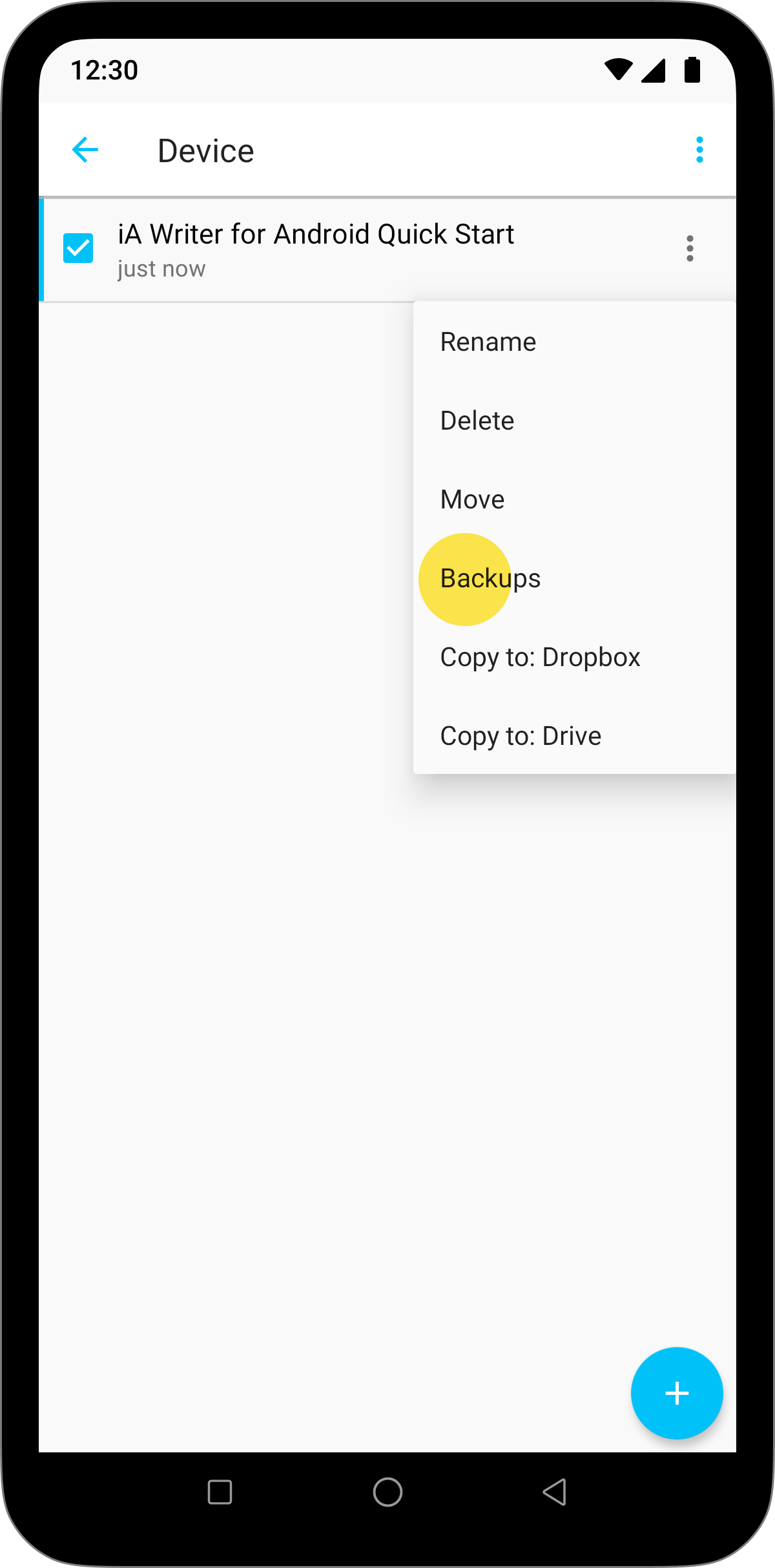
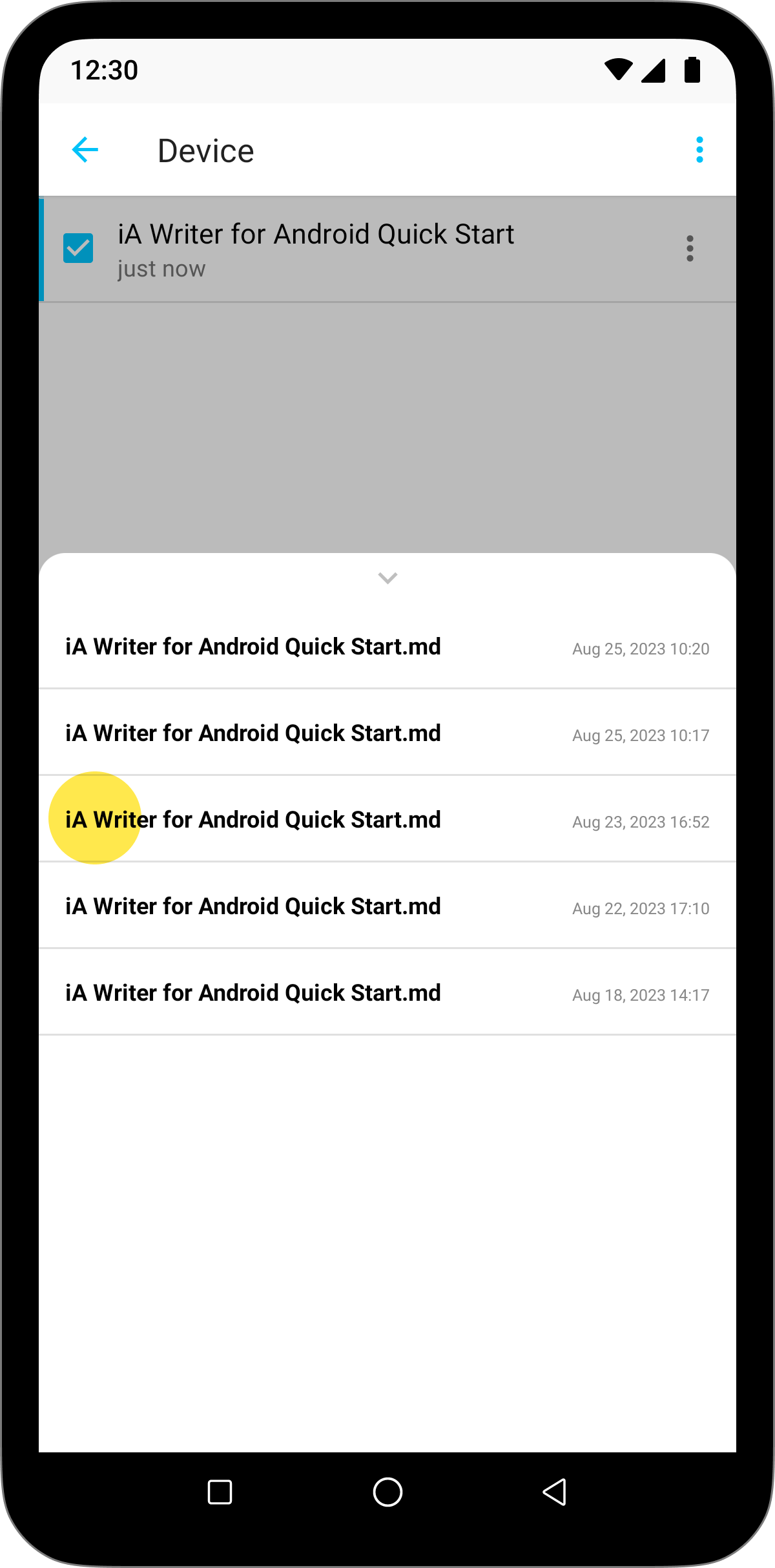
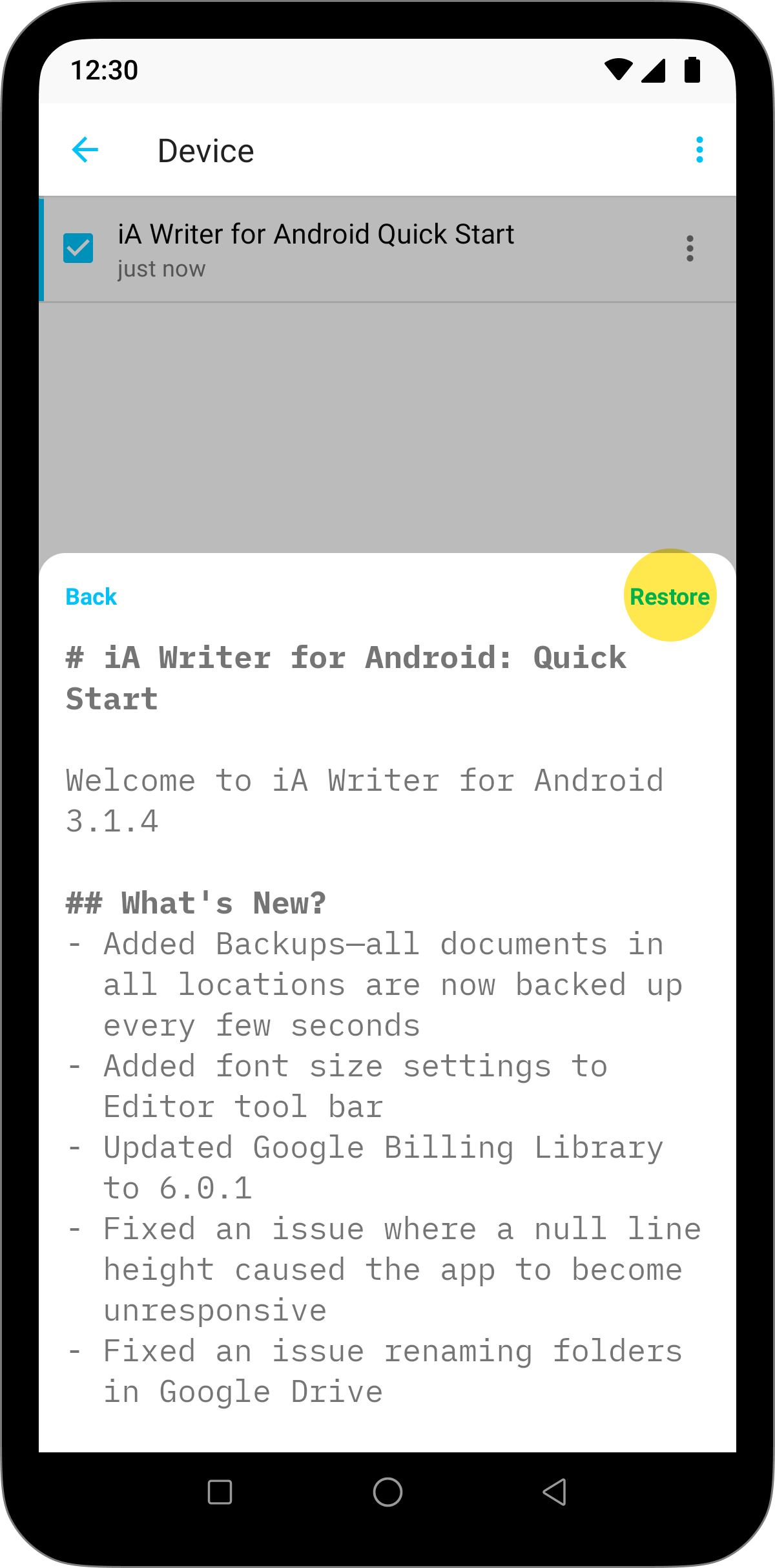
To restore a document to a prior point, or attempt lost progress recovery:
- Locate file in Library (if file cannot be found skip to Restoring Deleted File)
- Long-press on filename
- Press ⋮ → Backups
- Select a backup to see content
- Press Restore to restore the selected backup
Restoring Deleted File
iA Writer for Android include a trash folder which contains recently deleted files.
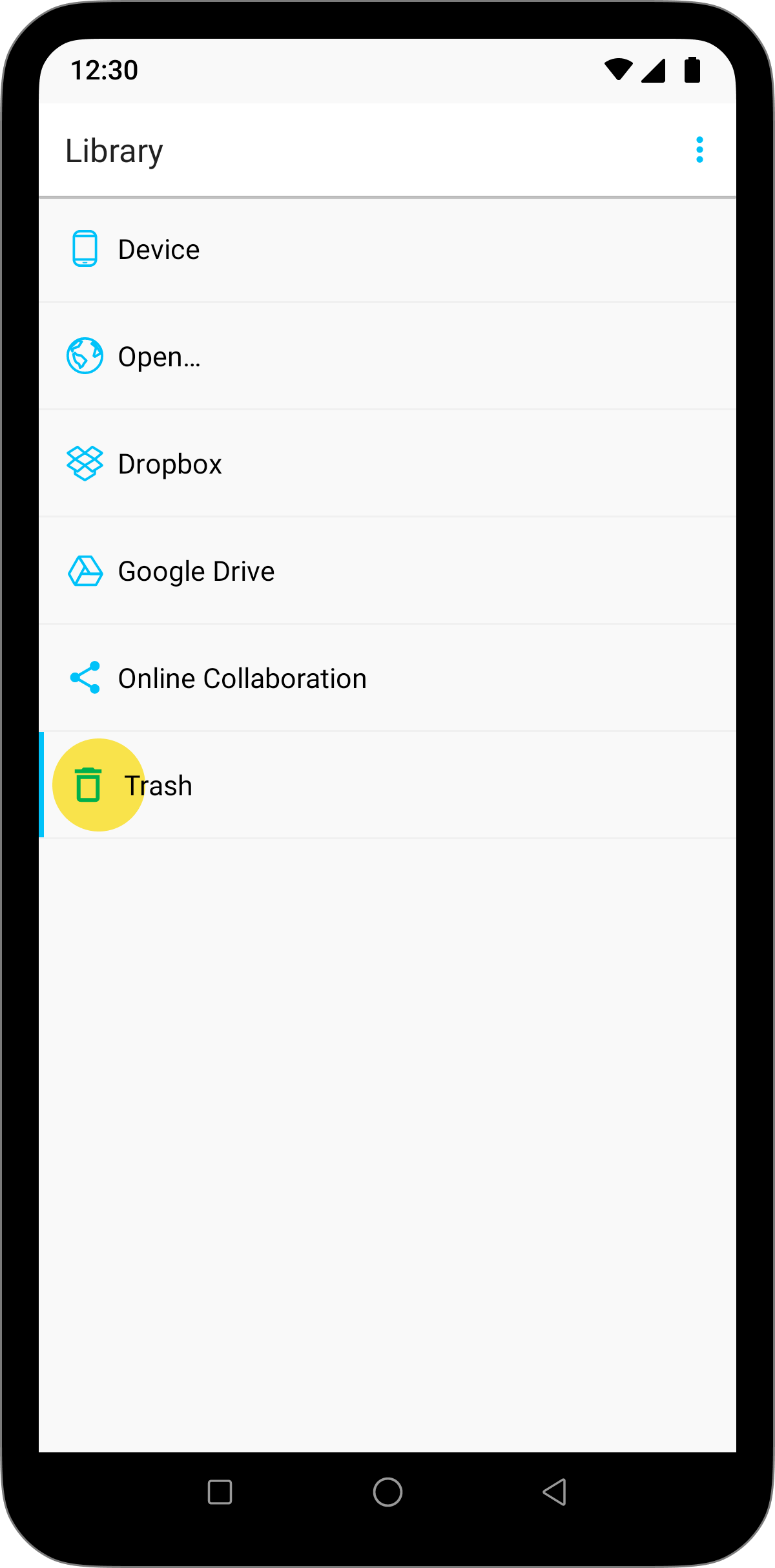
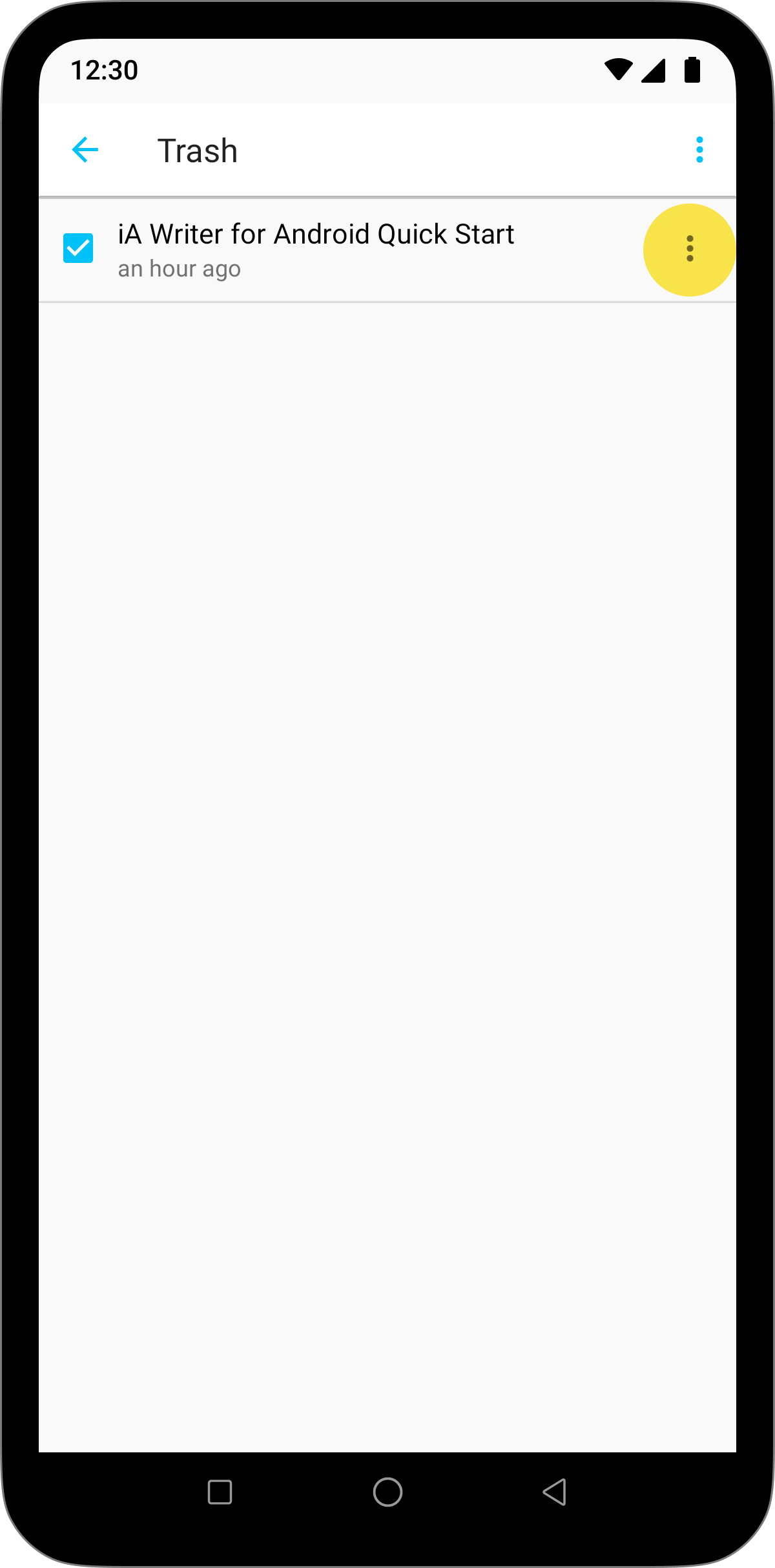
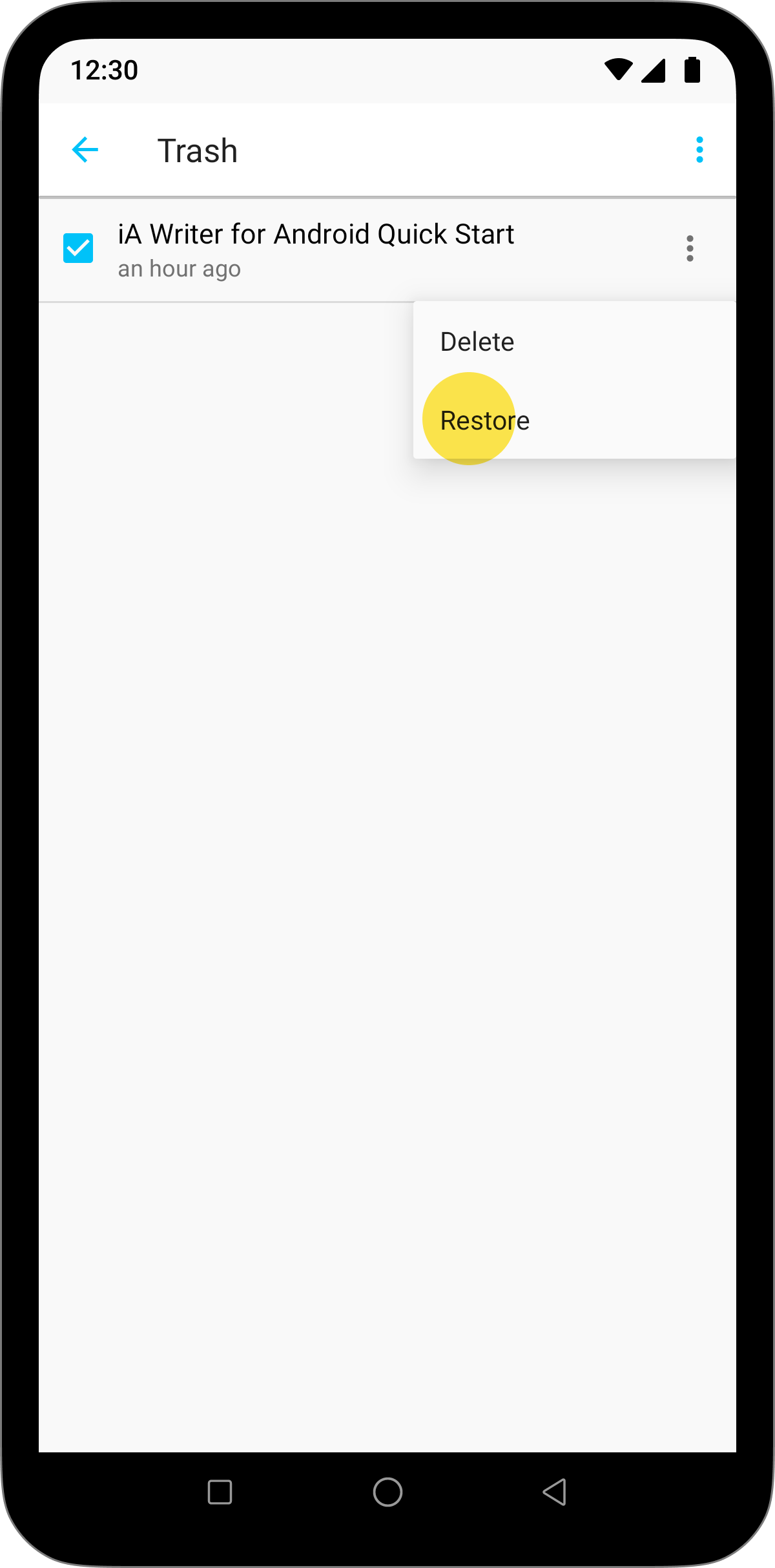
To recover a file from Trash:
- In the Library pane tap Trash
- Long-press on desired file
- Press ⋮ → Restore
In some cases document may not be restored to original Location/folder. If you cannot locate the file where you expect, please check in Device Location.
Cloud Storage Troubleshooting
In addition to built-in backups, files originally stored in a cloud storage provider service may be versioned/backed up by the provider.
We recommend visiting your cloud storage provider’s desktop/web console to see what options are available. For some of the most popular options please see:
Help
Troubleshooting
Here are some things you can do if iA Writer acts in unexpected ways.
iCloud
iA Writer is file storage provider agnostic but we recommend iCloud for the best experience across most devices:
Legacy Apps
Whenever possible, troubleshooting steps are listed here for iA Writer Classic on macOS & iOS and Writer 1.5.2 for Android.
Version History
Scroll through the history of our apps, version by version, platform by platform, update by update.
Accessibility
We want our products to be enjoyed by the widest possible audience.
URL Commands
Open iA Writer from other applications on both macOS and iOS, and perform specific actions on opening.
Apple Shortcuts
Shortcuts are a powerful automation tool that saves time and helps you focus on writing by avoiding repetitive busywork.