iA Presenter
Turn Text Into Slides
With Snippets, you can quickly add pre-written text with custom-typed shortcuts. They make it easier to push out recurring text blocks—like salutations, sign-offs, or, indeed, any text you reuse a lot.
Once you’ve added a Snippet, type its abbreviation and press Space or Tab to expand it in the Editor.
To create a new Snippet navigate to Edit → Snippets then click Add New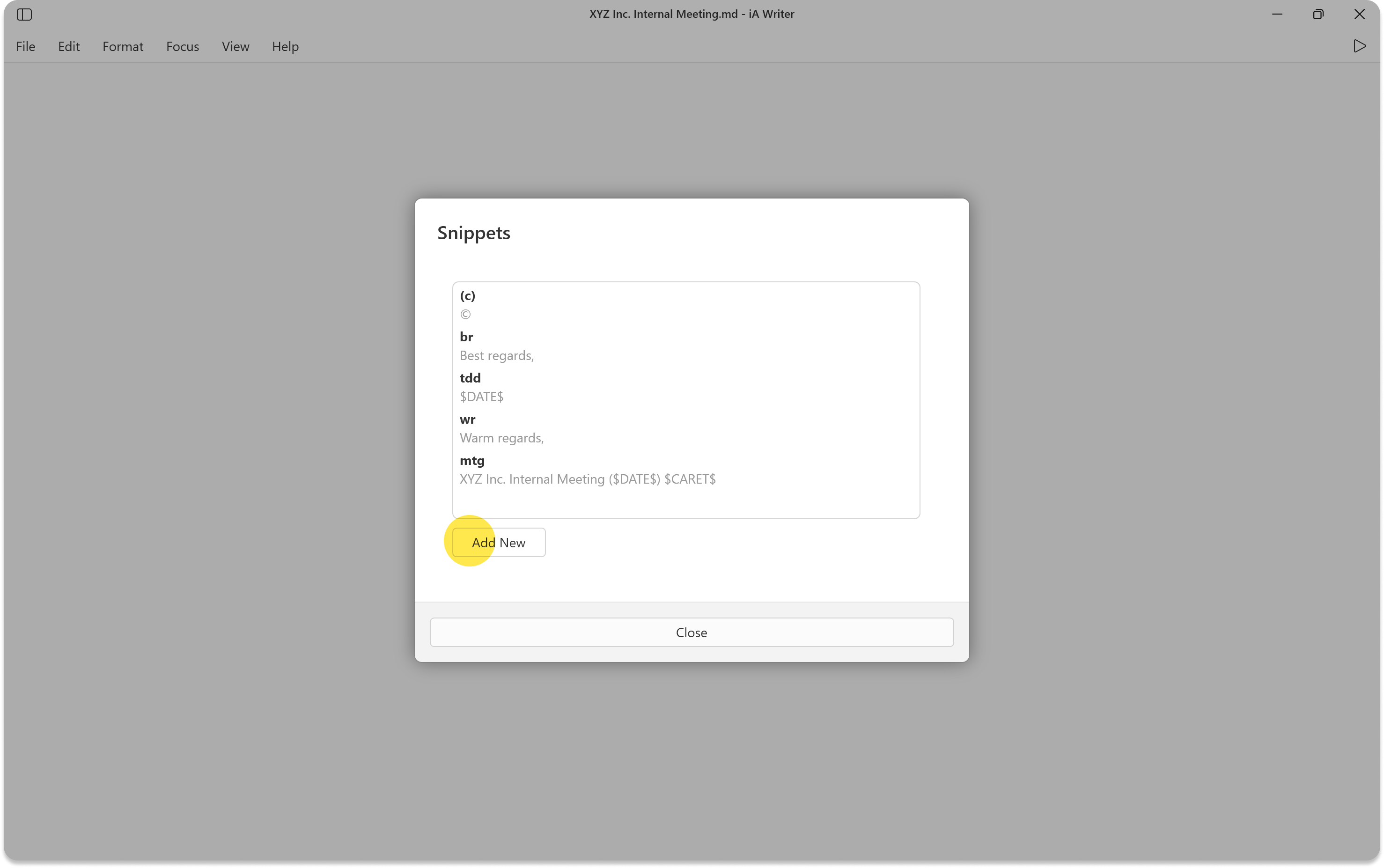
You’ll be able to enter your abbreviation and the replacement in a box directly below it. Click OK to save.
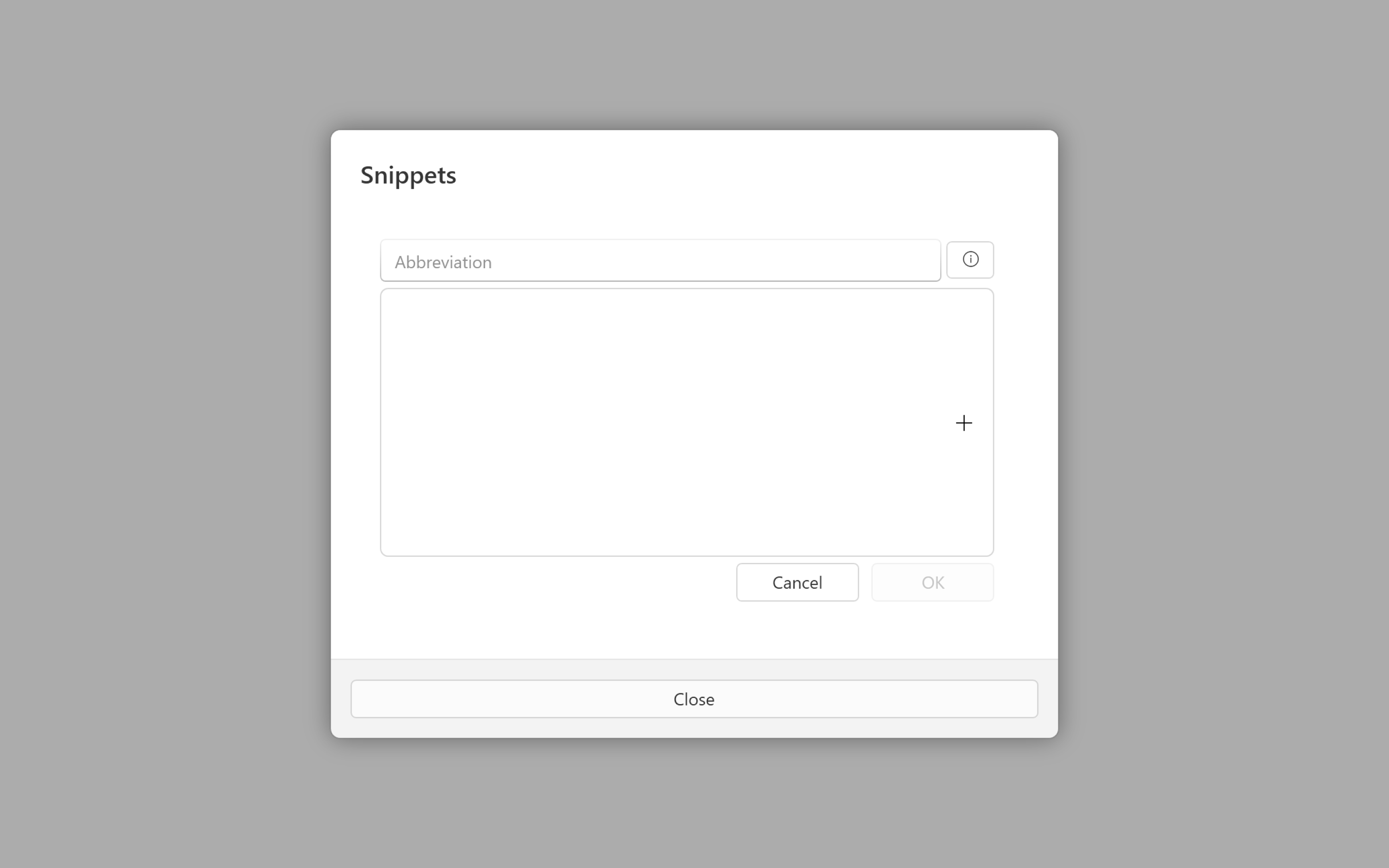
You can always edit an existing Snippet by coming back to this pane.
Some rules to keep in mind:
You can add variables to Snippets to make them even more useful.
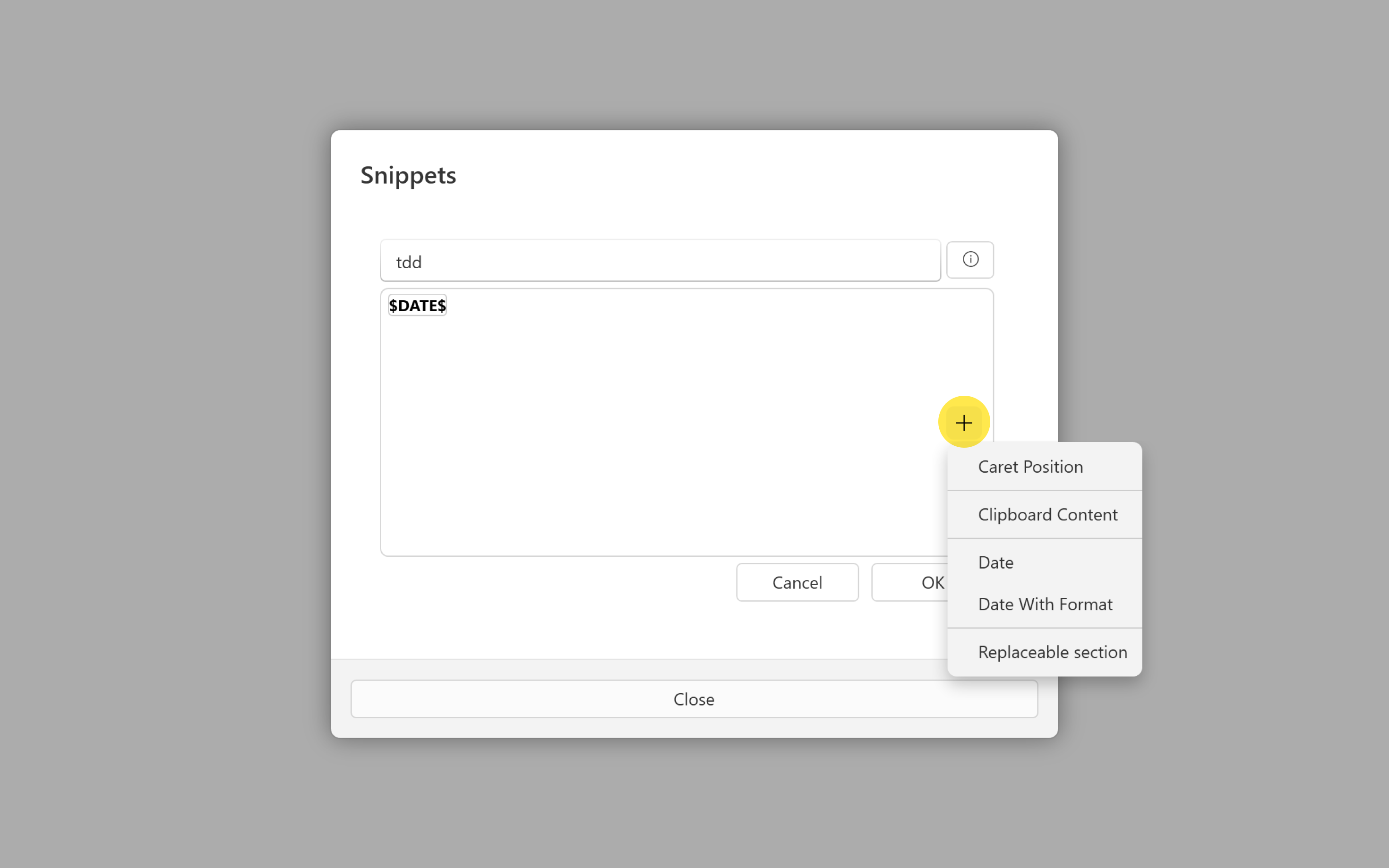
Predefined variable types:
iA Writer provides 2 different date variables:
$DATE$ inserts the current date and time$DATE("d")$ where a custom format can be specifiedThe full list of possible date formats can be found here.
Replaces the $CLIPBOARD$ variable with the clipboard content if the clipboard contains text.
Sets the caret position at $CARET$ after applying the substitution.
If you include a variable with internal text other than DATE, CLIPBOARD, or CARET, a placeholder section will be added to your snippet. These sections will be written out in the Editor with the internal text as the placeholder.
Placeholder sections can then be overwritten at the time of writing. Jump between placeholders with the keyboard using the Tab key. If you’ve ever added a table in iA Writer for Windows, you’ll recognize these placeholders and how easy they make adding text.
Highlight the text you craft yourself and keep track of your sources, artificial or natural.

Shut down distractions. Focus on the sentence or paragraph you're currently working on.

A personal editor-in-chief on your device, carefully reviewing your text for redundancies, clichés, and filler words.

A more structured view of your document will help you improve your writing style.

From word count to estimated reading time, document stats help you stay on top of things.

A simple key-value format for storing additional information about a document, only visible in the Editor.