Blog
iA Writer for iOS allows you to share drafts directly from the app to various blogging platforms.
We currently provide this option for Medium, WordPress, Ghost, Micro.blog, and Micropub.


Add Accounts
Medium
- On the Medium website, go to your Settings → Integration Tokens
- Enter a description (for example “iA Writer”) and get your token
- Add the token to iA Writer using: Settings → Accounts → Add Account → Medium
WordPress
iA Writer supports a variety of WordPress setups:
- Publish to WordPress.com, and to WordPress sites with Jetpack plugin
- Publish directly to WordPress sites with WordPress 5.6 or later.
To add a WordPress account, follow the authorization flow in: Settings → Accounts → Add Account → WordPress
Ghost
- Add a new custom integration in Ghost Settings → Integrations
- Add the custom integration Admin API Key and API URL using: Settings → Accounts → Add Account → Ghost
Micro.blog
Enter your account email, then open the sign-in link sent to you by Micro.blog.
Micropub
Enter your website URL, then follow authorization flow, or enter access token manually in: Settings → Accounts → Add Account → Micropub
Publish Posts
Once you have added your blogging account(s) to iA Writer, you can start publishing your drafts directly from our app.
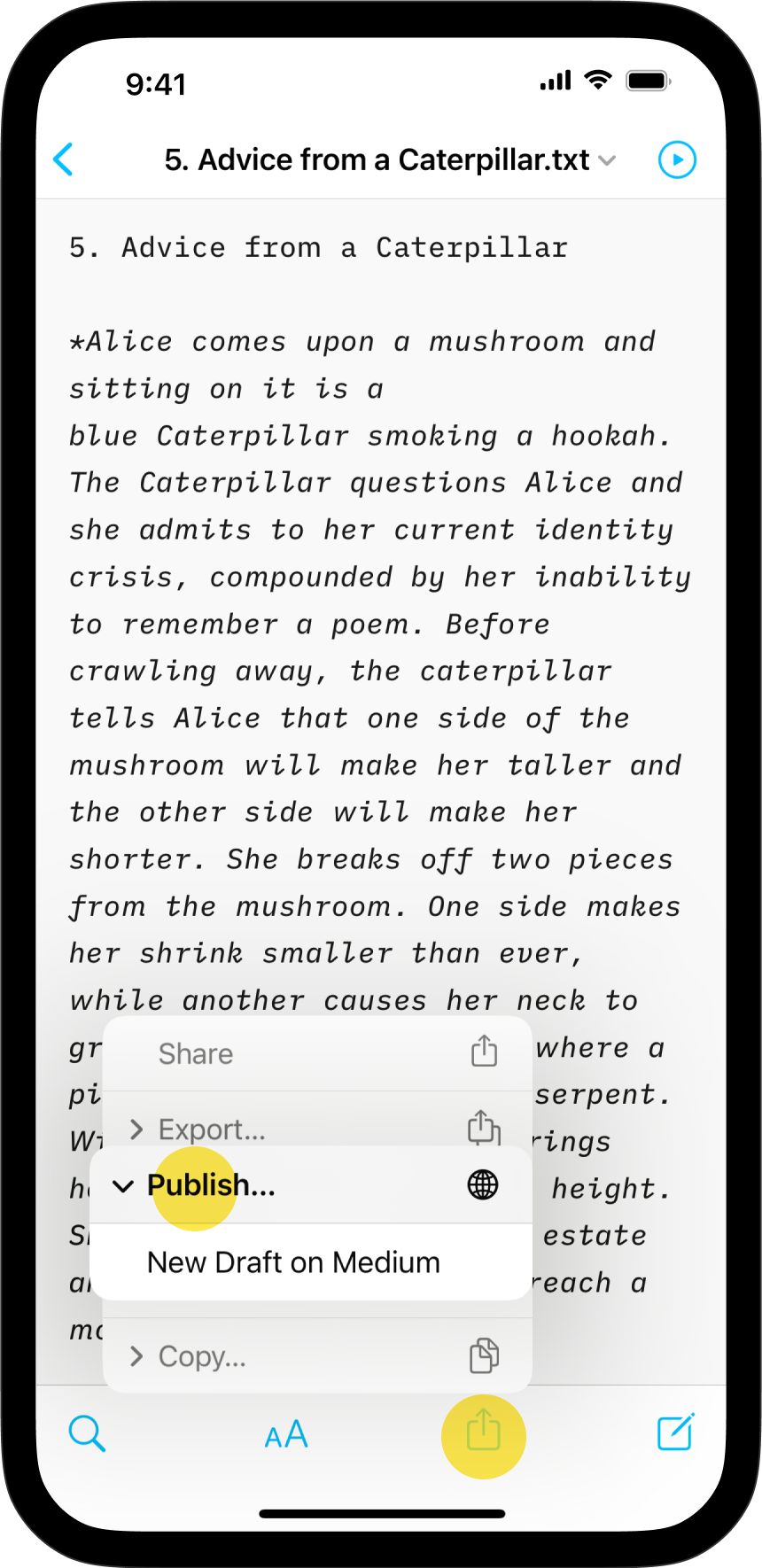
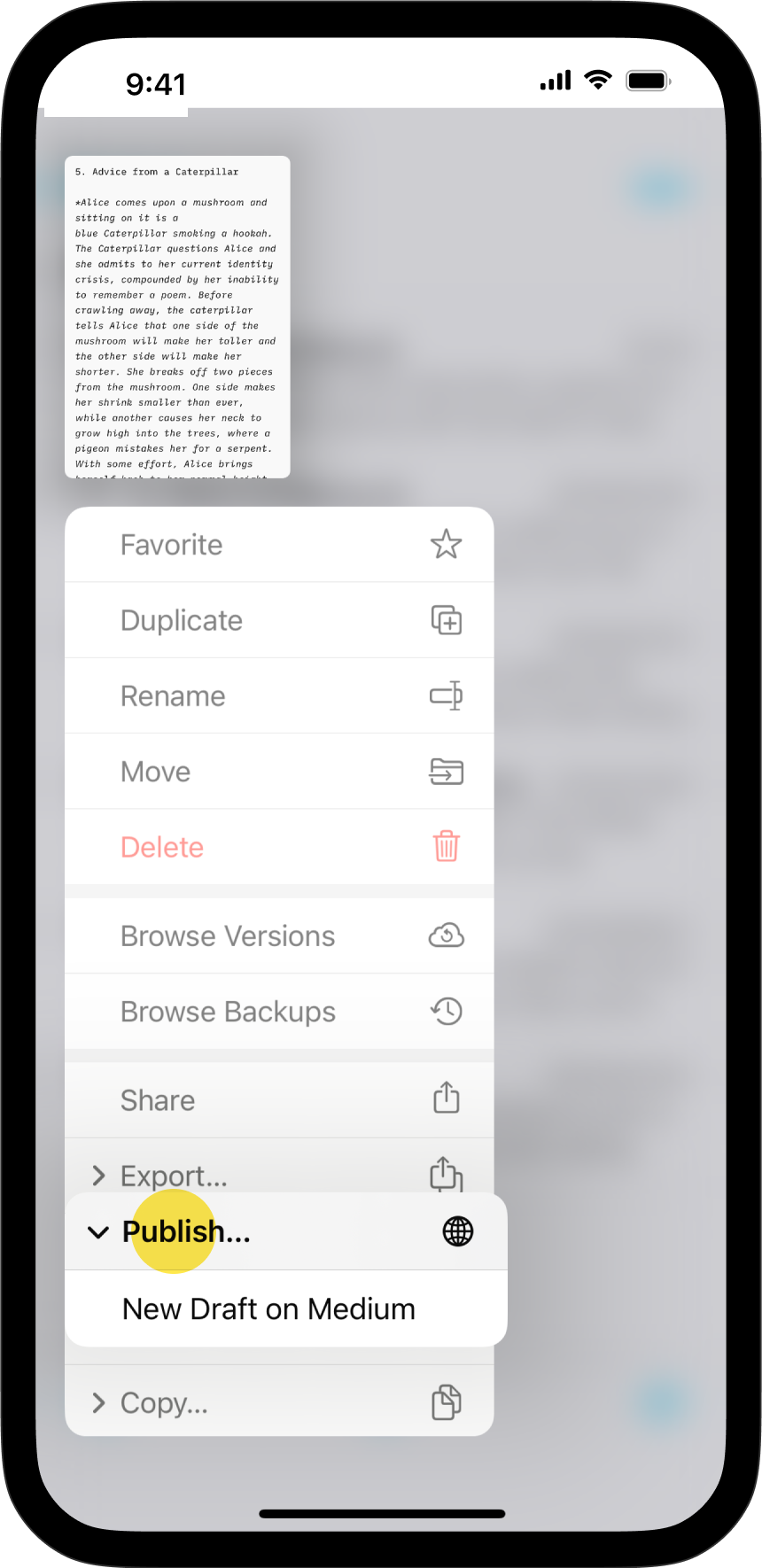
You will see the Publish option appearing now under Export (if you do not see it, set up your account again).
You can publish in two ways:
- Share Button → Publish → New Draft on...
- From the Library, right click on your file → Publish → New Draft on...
iA Writer will create a new draft and open it in your browser every time you share a blog post.
Preview
Modify the Preview
To see your formatted text and to change its look, open Preview.
Export, Share, Print
Learn how to export, share and print your iA Writer documents.
Templates
Preview, create PDFs, and print documents with iA Writer's templates.
Custom Templates
Create iA Writer templates in your own style.